Setting up Ichijo's Cloud HEMS, and connecting it to Home Assistant
15 Jan 2026 | #tech | #housing | #japanWe added most of Ichijo’s smart home (HEMS) options to our house and in this post I’ll review how I set them up, and connected them to Home Assistant.
This is for Ichijo’s new HEMS offering, Cloud HEMS (一条工務店クラウドHEMS), introduced in 2025. If you have a house built earlier (or much later), then these will likely be different.
Options we got
See my previous post for details, but here is the list:
- EcoEye distribution board
- HEMS adapter for the floor heating
- HEMS adapter for the EcoCute water heater
- HEMS adapter for the 24h ventilation system (ロスガード)
- Air conditioners with WiFi
- Panasonic Advanced Series Link Plus switches
- Intercom with security cameras and e-entry entrance door (can be locked from the intercom screen)
- Electric honeycomb shades
- Miele dishwasher
Connecting to the network
The devices need to connect to the network. To do this, there were a few patterns.
Ethernet cable
The EcoEye distribution board and the security cameras came with Ethernet cables that were routed to the information box, so I could just plug them into my switch.
Connect to my WiFi
The EcoCute water heater, the Daikin ACs, and the Miele dishwasher all had their own mobile app that let me connect them to my home WiFi network.
Recreate the expected WiFi
The floor heating and the 24h ventilation system (ロスガード) however didn’t have an app, nor any visible way to configure their WiFi. Turns out that they were trying to connect to the WiFi network that Ichijo configured with their LTE modem. However since I removed that modem, they couldn’t reach the internet. My solution: set up a WiFi with the same SSID and password, and let them connect to that. The SSID and password were written on the back of the LTE modem. The SSID looked something like this: FS010M_123456.
Once I created this WiFi network, both the floor heating and the ventilation system connected to it successfully.
Custom connections
E-entry entrance door
This connects to the intercom with a custom method. I’m not even sure if it’s wired or wireless, but I suspect some custom radio protocol. It was already configured when we moved in.
Panasonic Advanced Series Link Plus switches
I bought their hub myself (Link Plus Wireless Adapter, リンクプラス用無線アダプタ), which connects to the switches via 920MHz radio, and to the network via Ethernet. It has its app to set up all the switches, so I used that.
Electric honeycomb shades
These are proving to be more difficult than expected. They are licensed from Hunter Douglas and made by Ichijo, however the remotes seem to be Ichijo-specific. I found a blog where someone reverse engineered the controls, and it’s a 315 MHz custom radio protocol.
I tried Broadlink RM4 Pro, as it supports 315 MHz radio, but it failed to decode the signal, and it doesn’t support replaying raw signals. If it doesn’t understand the protocol, then it won’t interact with the device.
I also tried with my Flipper Zero, and successfully recorded and replayed the signal (Read Raw, 315 MHz, AM270).
Next I will work on integrating it with Home Assistant, and I plan to write a dedicated article about this.
Official setup
Ichijo’s recommended way of using their HEMS devices is via the Mitsubishi MyMU app. Ichijo did the configuration, and 6 weeks after the hand-over they sent us the MyMU login details via paper mail. Once I logged in to the app, it could see the following devices:
- floor heating, per zone (we have 2 zones on the first floor and 2 zones on the second floor)
- air circulation
- ACs
- solar panels
- EcoCute water heater
the app is a bit slow, but works. It also allows controlling them remotely, so e.g. when going home late, I can have the bath filled up by the time we arrive home (normally closing the bath plug would be an issue, but since we got the self-cleaning bathtub, it can close it by itself).
Home Assistant setup
EcoEye distribution board
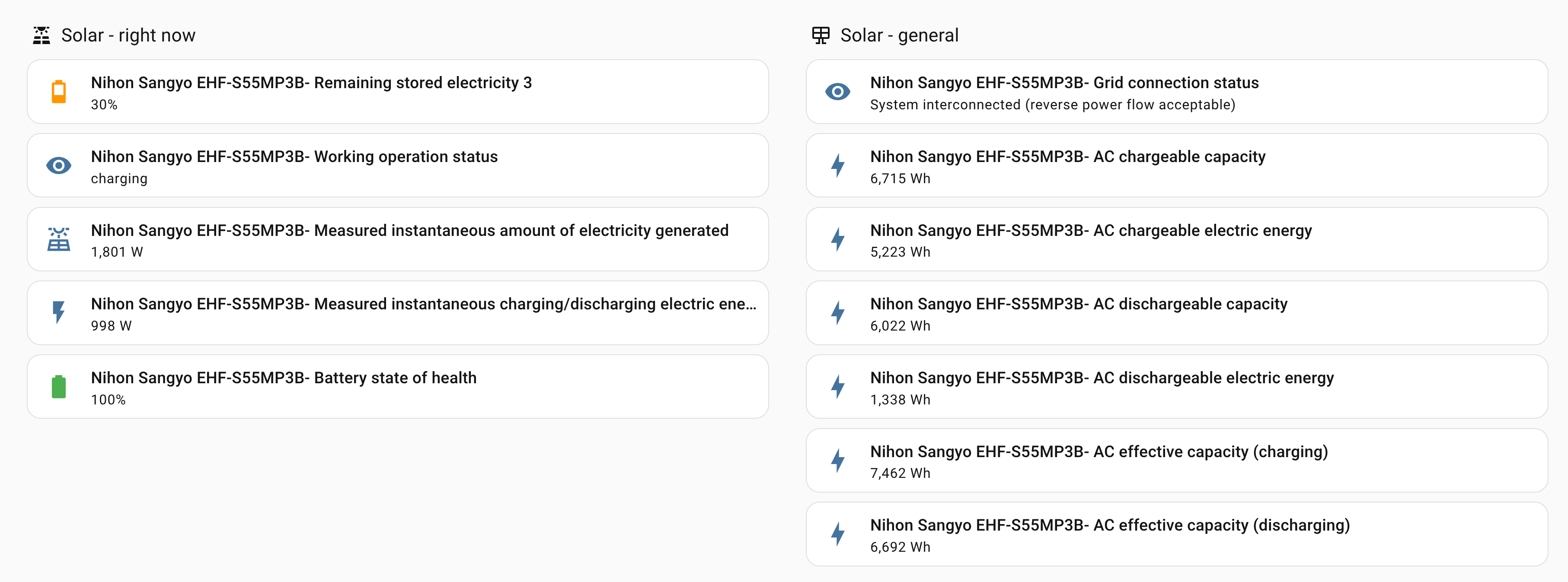
Connected using echonetlite_homeassistant. It exposes a lot of solar-related metrics, but it doesn’t show per circuit power consumption (e.g. I can’t see how much electricity a given room uses). Still the solar power info can be useful for automation.
Floor heating
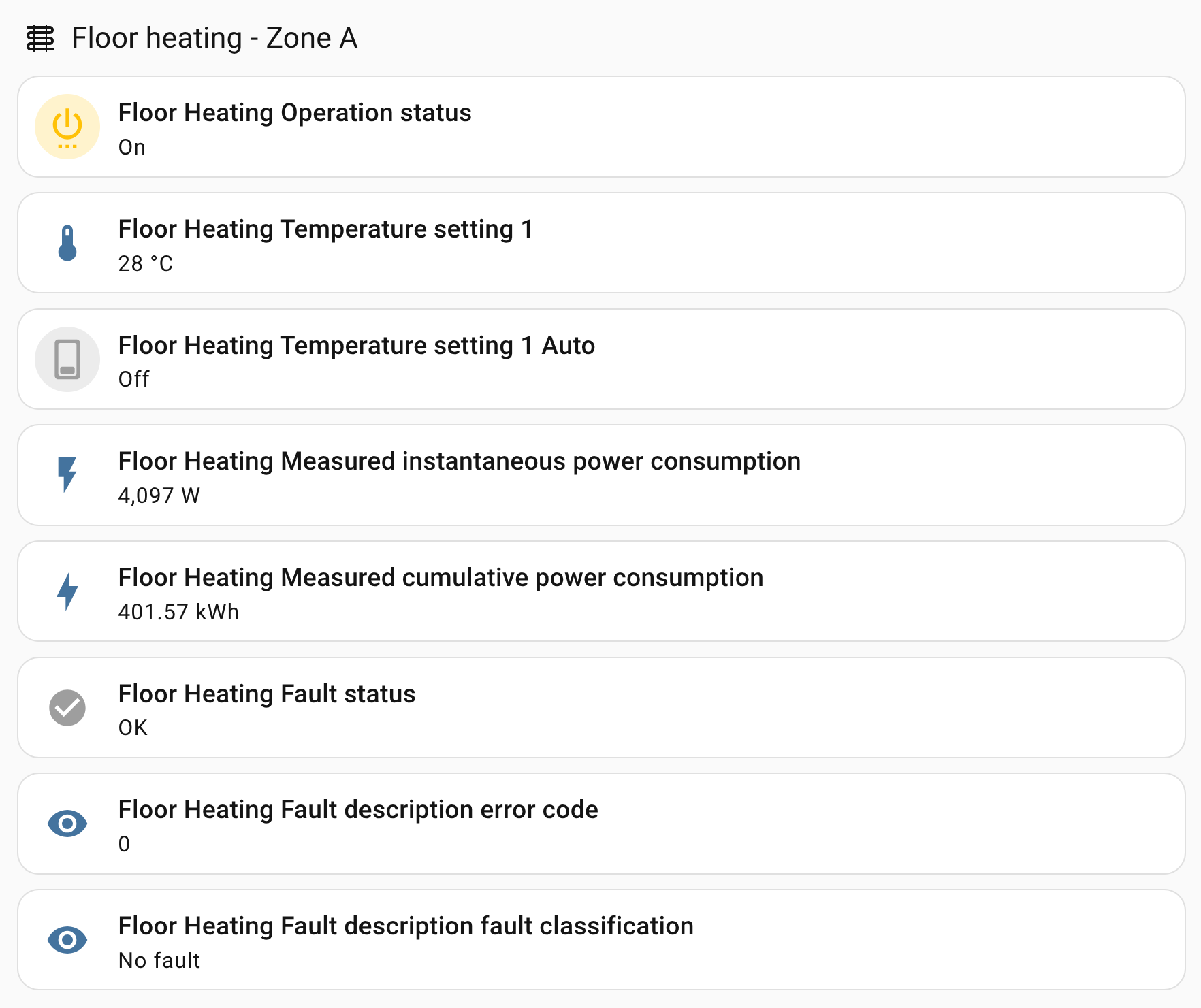
Connected using echonetlite_homeassistant. For each zone it has all the expected controls: on/off, and setting temperature. It also has an auto option, which the MyMu app calls 自動, but this seems unsupported: the MyMU app fails with 設定に失敗しました. 機器がこの設定に対応していません (Configuration failed. The device does not support this configuration.) and Home Assistant also fails to set it.
24h ventilation system (ロスガード)
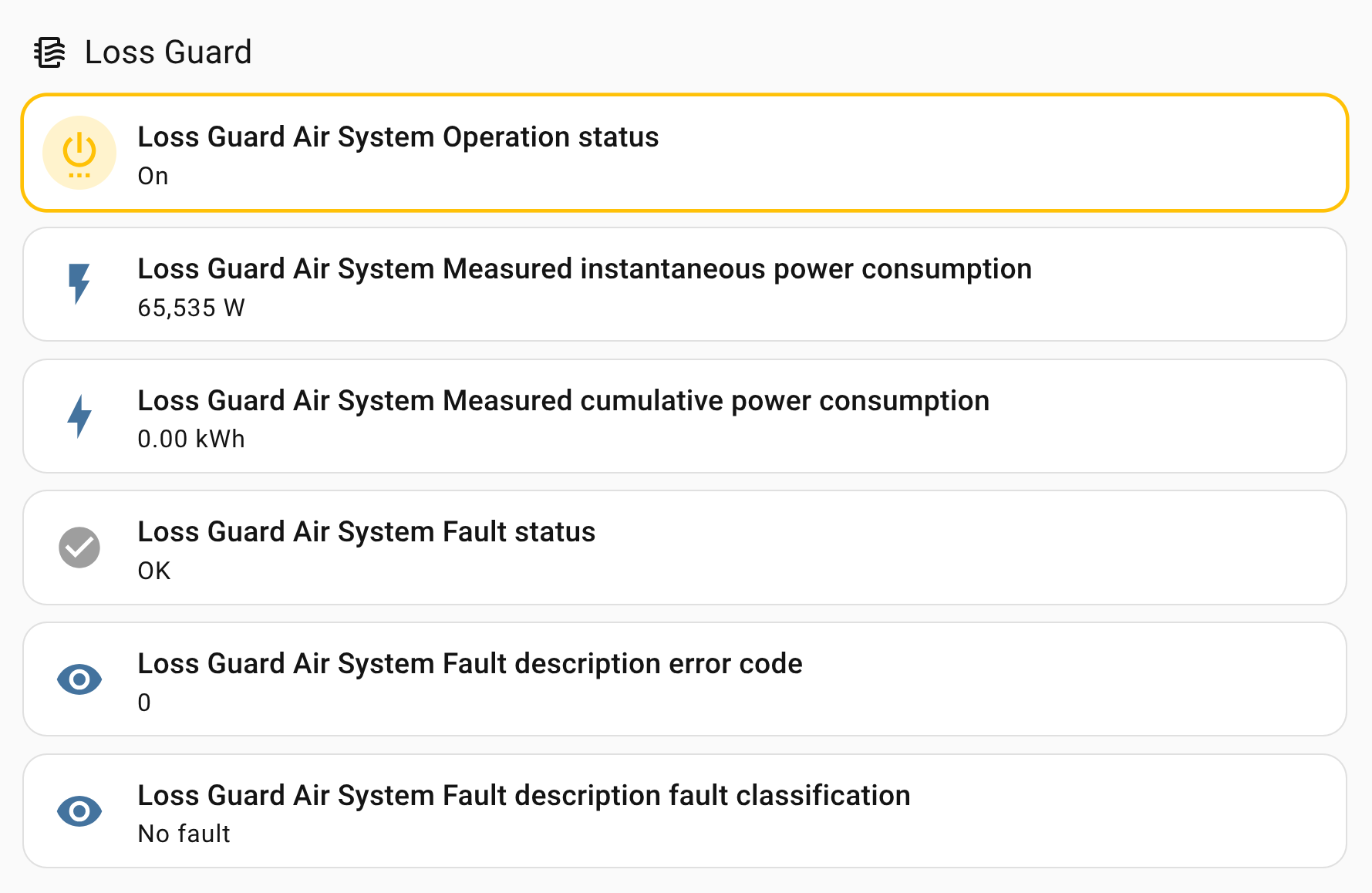
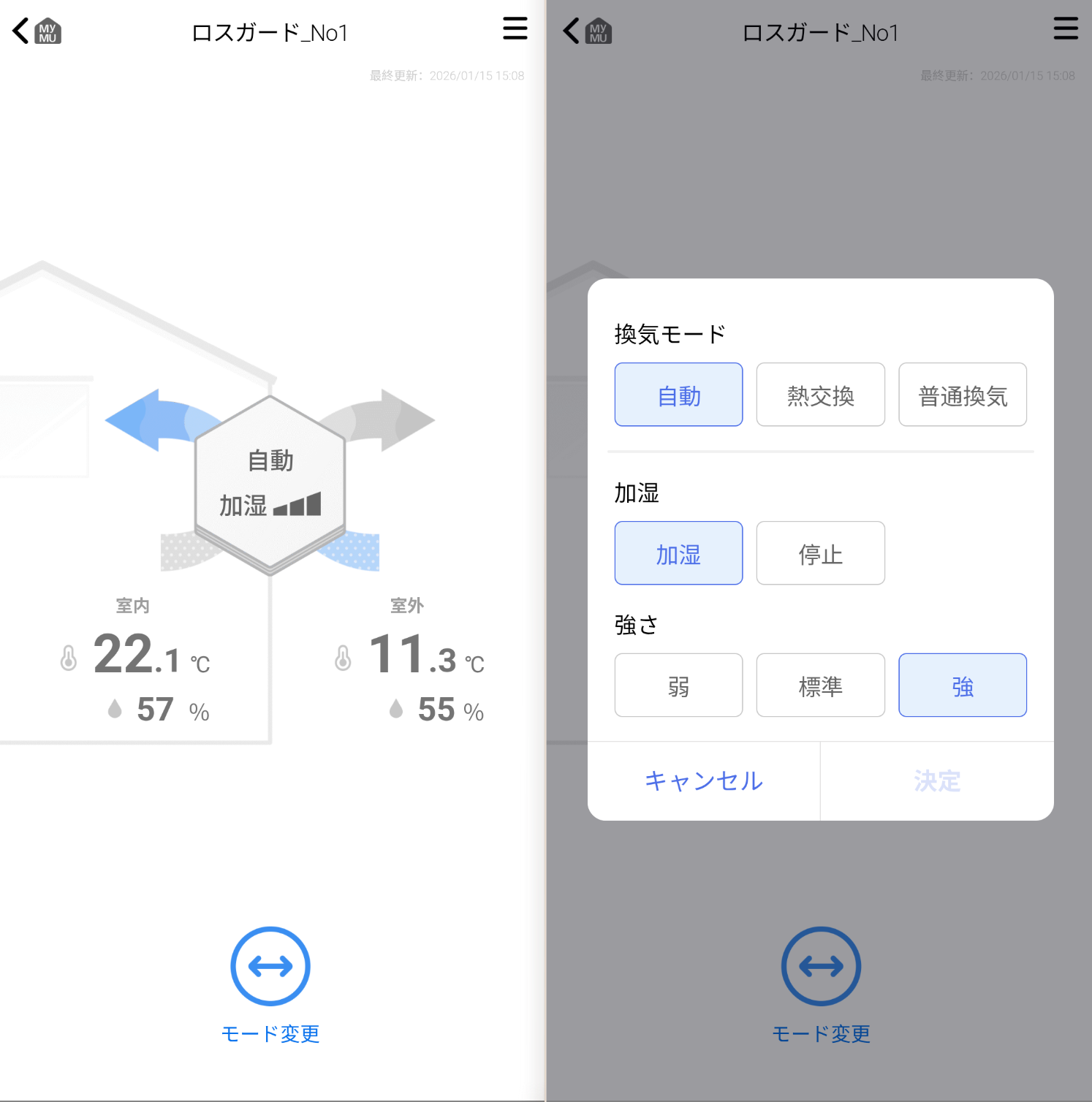
Connected using echonetlite_homeassistant. This is only partially supported: it lets you turn it on and off, however it doesn’t let you control the mode (air circulation, heat exchange, automatic) and it doesn’t let you control the humidifier (on or off, the strength of the humidifier). It also doesn’t show the humidity and temperature of the incoming and outgoing air. All of these are available in MyMU app, but not in the Home Assistant integration.
Meanwhile the MyMU app has all the options:
Air conditioners (Daikin)
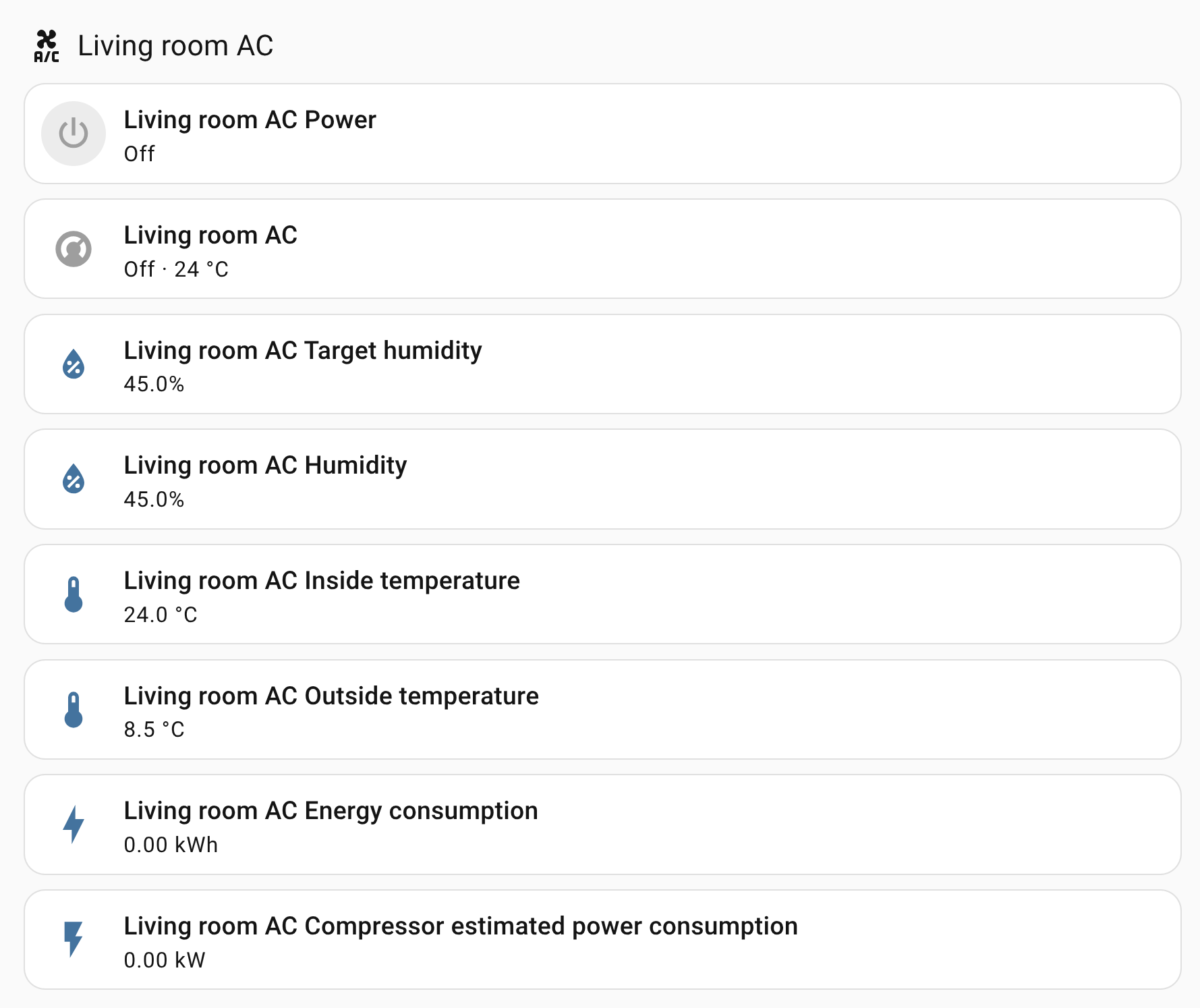
Connected using the official DAIKIN integration. Works as expected.
Advanced Series Link Plus switches
Connected using echonetlite_homeassistant. Works as expected letting me control the lights (on/off, adjust brightness of the dimmer switches).
Miele dishwasher
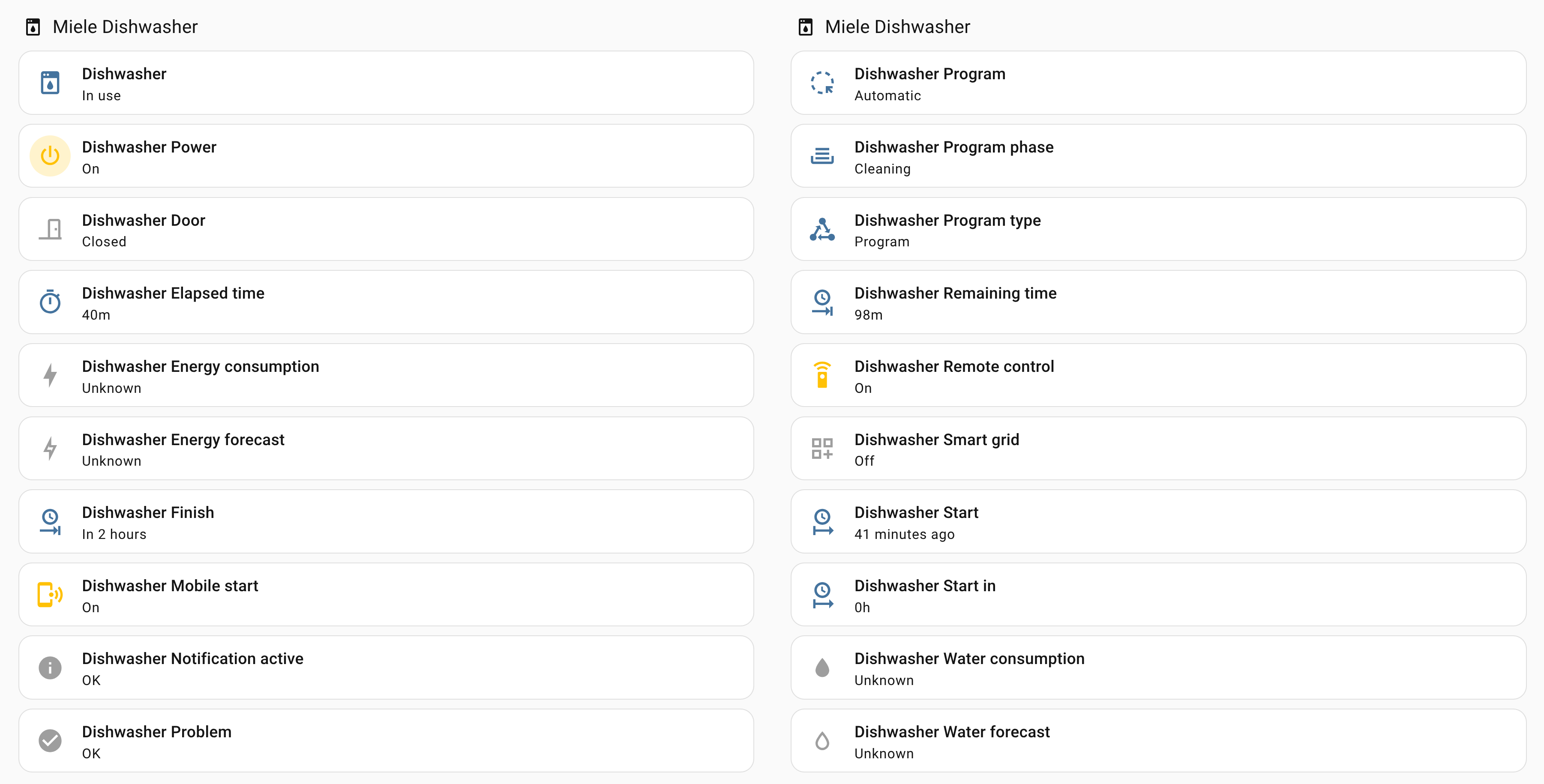
Connected using the official Miele integration. Exposes a lot of information, but it seems most of these are read-only. It does allow me to turn it on or off, but it doesn’t let me start it. This is not really something I would want to do from Home Assistant anyway.
This finishes the ones that I could connect to Home Assistant.
Intercom with security cameras and e-entry entrance door
These don’t connect to the HEMS system, but do have their own mobile app that allows viewing the video feeds and locking the door. It also should allow unlocking the door, but only after someone rings the intercom, however the notification for this is usually delayed, so not sure how useful this is in practice.
The cameras have TCP ports 443 and 53 open, but the website on 443 returns 500 on all path I tried. I also run nmap -A and nikto on it with no result.
The intercom has port 53, 80, 443, 8443, 49153, 49154 open, with 31194 and 44247 reported as filtered. I run nmap -A and nikto on the web ports to no avail. Port 8443 has a header Server: Panasonic Door Server/1.00 but I couldn’t find anything about this online.
EcoCute water heater
This acts as the HEMS controller (this is the main unit MyMU talks to), which means that it doesn’t respond to EchonetLite calls, so I haven’t managed to connect it to Home Assistant yet.
It has port 80 open and responds to /license, which could mean that pymitsubishi might work with it, but I haven’t tested it yet.
